5-1: Web Scraping - Introduction#
HTML basics, css selectors, pandas read_html, playwright for driving a browser, Codegen mode!
The Anatomy of a Webpage: HTML, CSS and JavaScript#
HTML (HyperText Markup Language) is the standard markup language for documents designed to be displayed in a web browser. It can be assisted by technologies such as Cascading Style Sheets (CSS) and scripting languages such as JavaScript.
CSS (Cascading Style Sheets) is a style sheet language used for describing the presentation of a document written in HTML or XML (including XML dialects such as SVG, MathML or XHTML).
JavaScript is a programming language that conforms to the ECMAScript specification. JavaScript is high-level, often just-in-time compiled, and multi-paradigm. It has curly-bracket syntax, dynamic typing, prototype-based object-orientation, and first-class functions.
Inspectin’ and Selectin’#
You don’t need to be an HTML/CSS expert to scrape a webpage.
You just need to know how to inspect the webpage and select the elements you want to scrape. “Inspectin’ and Selectin’!”
Open Google Chrome
go to this site: https://www.imdb.com/chart/top/
right click on the title of the first movie
click on “Inspect”
observe the
class=attributeright click on the title of another movie
click on “Inspect”
observe the
class=attribute
same? Then we should be able to scrape the titles easily!
Playwright#
Playwright is a Node library to automate the Chromium, WebKit and Firefox browsers with a single API. It enables cross-browser web automation that is ever-green, capable, reliable and fast.
You can do everything a human can do in a web browser, just programmatically!
Installation#
If you ran the requirements.txt file, you should already have the playwright Python library installed.
Installing the Chromium browser#
Open a terminal in vscode: Menu => terminal => new terminal
python -m playwright install chromium --with-deps
this will install the chromium browser and all the dependencies needed to run it with playwright
Making sure everything is working#
Try to take a screenshot with playwright:
in your vscode terminal:
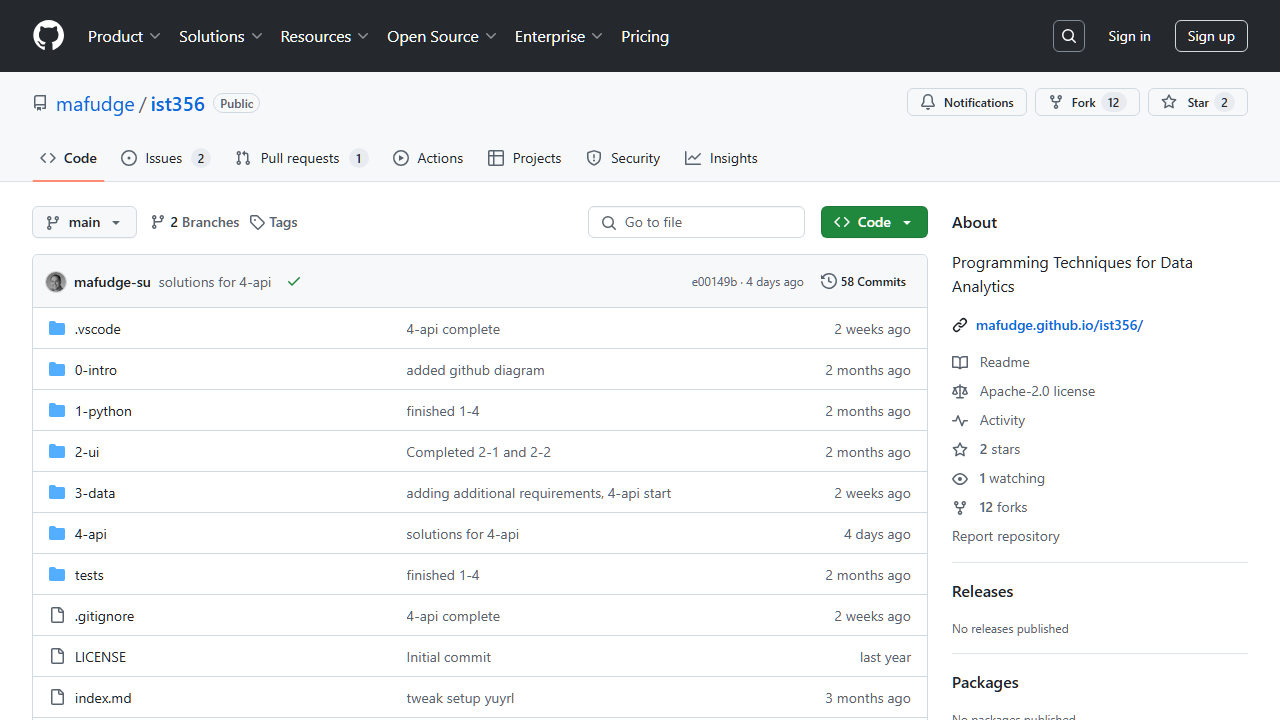
python -m playwright screenshot https://github.com/mafudge/ist356 ist356.png
You should see a file ist356.png in your current directory. Open it to see the screenshot of the github page!
Playwright Boilerplate Code#
The following code will open a browser, navigate to a page and get the contents of the page.
5-1-boilerplate.py#
from playwright.sync_api import Playwright, sync_playwright, expect


def run(playwright: Playwright) -> None:
    browser = playwright.chromium.launch(headless=False)
    context = browser.new_context()
    page = context.new_page()
    page.goto("https://www.imdb.com/chart/top/")
    content = page.content()
    print(content)

    # ---------------------
    context.close()
    browser.close()


with sync_playwright() as playwright:
    run(playwright)
Selectors#
To scrape, you need to learn about selectors!
Example |
Tag |
Selector |
|---|---|---|
Class Selection |
|
|
Id Selection |
|
|
Tag Heirarchy Selection |
|
|
Multiple Tag Selection |
|
|
Next Selector |
|
|
Getting the Select Element’s tag name:#
There’s going to be times when you need to access the selected tag’s name.
This is useful when building out the page structure.
We need to fall back to JavaScript to accomplish this. evaluate() executes a JavaScript function in the context of the selected element.
selected = page.query_selector("h1")
tag = selected.evaluate("el => el.tagName")
text = selected.inner_text()

print(tag, text)
Example: Selecting the title#
This example will select the “title” from the IMBD Page (the <h1> tag)
5-1-heading.py#
from playwright.sync_api import Playwright, sync_playwright, expect


def run(playwright: Playwright) -> None:
    browser = playwright.chromium.launch(headless=False)
    context = browser.new_context()
    page = context.new_page()
    page.goto("https://www.imdb.com/chart/top/")

    # Let's scrape the heading off the page!
    heading = page.query_selector("h1")

    # the tag name of the element
    tag =heading.evaluate("el => el.tagName")
    print(tag)

    # the contents of the element
    print(heading.inner_text())

    # ---------------------
    context.close()
    browser.close()


with sync_playwright() as playwright:
    run(playwright)
Challenge 5-1-1:#
Scrape the Title off this page: https://ist256.com/fall2023/about/
Use the #ID selector to select the title.
Scraping Multiple Elements#
To scrape multiple elements, you can use the query_selector_all method.
Every matching element will be returned in a list.
This example gets all the movie titles from the IMDB page.
5-1-titles-1.py#
from playwright.sync_api import Playwright, sync_playwright, expect


def run(playwright: Playwright) -> None:
    browser = playwright.chromium.launch(headless=False)
    context = browser.new_context()
    page = context.new_page()
    page.goto("https://www.imdb.com/chart/top/")

    # select the title by selector
    elements_on_page = page.query_selector_all("h3.ipc-title__text")

    # loop through the elements and print the title
    for element in elements_on_page:
        title = element.inner_text()
        print(title)

    # ---------------------
    context.close()
    browser.close()


with sync_playwright() as playwright:
    run(playwright)
The example from above shows one of the first challenge of web scraping. We get the 250 titles from the IMDB page, and some extra stuff we dont’ want.
Mike’s 3 Challenges of scraping#
Nothing is easy: Selecting exactly what you need from the page can be a challenge.
Nothing stays the same: When a website changes its layout, your scraper will break.
Nothing is consistent: Very little reuse from one page to the next.
Getting only what we want#
To get only the titles, we need to be more specific in our selector.
5-1-titles-2.py#
from playwright.sync_api import Playwright, sync_playwright, expect


def run(playwright: Playwright) -> None:
    browser = playwright.chromium.launch(headless=False)
    context = browser.new_context()
    page = context.new_page()
    page.goto("https://www.imdb.com/chart/top/")

    # outer element that contains the list of 250 top movies
    top_250_list = page.query_selector("ul.ipc-metadata-list")

    # same selector from there
    elements_on_page = top_250_list.query_selector_all("h3.ipc-title__text")
    for element in elements_on_page:
        title = element.inner_text()
        print(title)

    # ---------------------
    context.close()
    browser.close()


with sync_playwright() as playwright:
    run(playwright)
Challenge 5-1-2:#
Create an outline!
Scrape the Sections H2 and H3 from this page: https://ist256.com/fall2023/syllabus/
Print the titles, and detect the tag name so that you indent the H3 tags under the H2 tags.