API 4-1: REST API’s#
HTTP basics, requests, Swagger, error handling
What is a Web API / REST API?#
A REST API (representational state transfer API) is a set of functions that can be accessed over the internet. The functions are organized in a way that they can be accessed using the common protocol of the Web, HTTP (Hypertext-Transport Protocol).
By design, REST APIs are stateless, meaning:
calls can be made independently of one another,
each call contains all of the data needed to complete itself successfully, and
no one call depends on the next.
REST APIs are designed around resources, which consists of a URIs (Uniform Resource Identifiers), and an HTTP request method.
The methods are:
GET: retrieve a resource
POST: create a new resource
PUT: update a resource
DELETE: remove a resource
PATCH: update a resource with partial data
HTTP without a rest API Example#
Let’s start with an example of invoking a simple HTTP request without using a REST API.
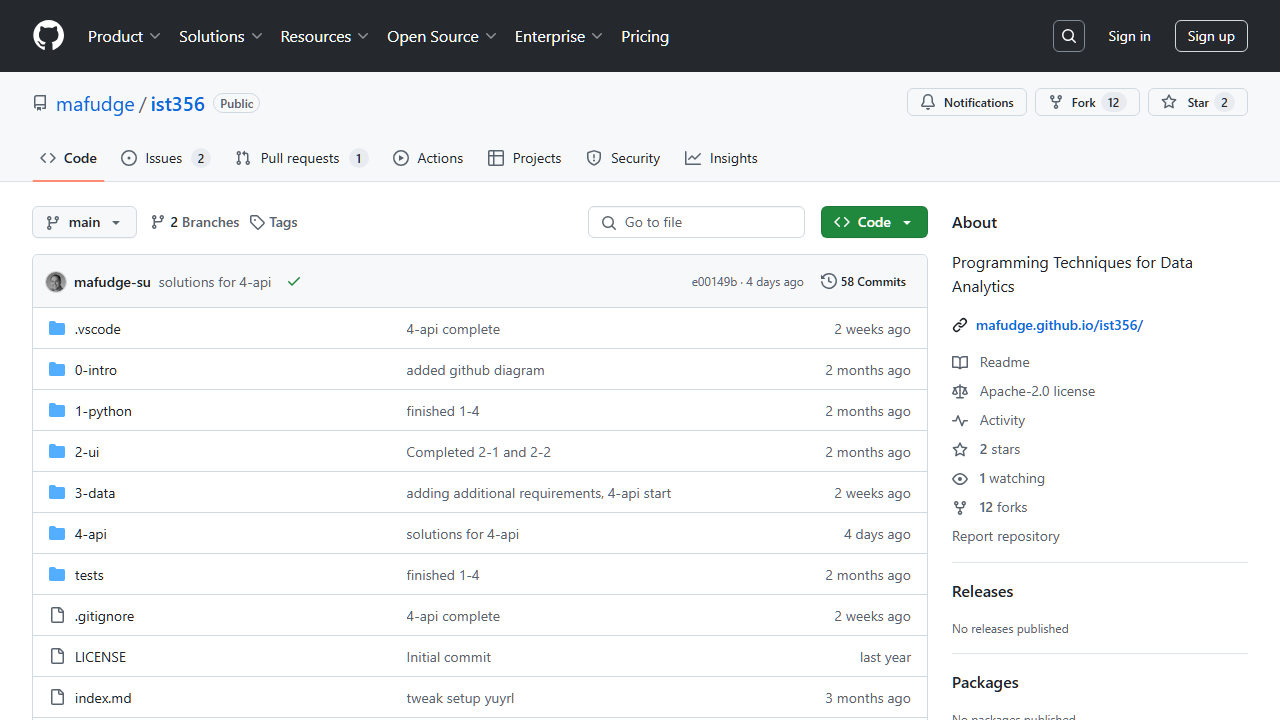
Let’s retrieve the content of this website: https://github.com/mafudge/ist356 programmatically.
Notice the response is HTML content. This is a markup language used to create web pages and is intended for humans.
1import requests
2uri = "https://github.com/mafudge/ist356"
3response = requests.get(uri)
4print(response.text[:100].strip())
<!DOCTYPE html>
<html
  lang="en"

  data-color-mode="auto" data-light-theme="light" data-d
HTTP REST API Example#
This example will use the funny names API to demonstrate how to retrieve data from a REST API. Note that the code is exactly the same as the previous example, but the URL is different.
1import requests
2uri = "https://cent.ischool-iot.net/api/funnyname/random"
3response = requests.get(uri)
4print(response.text)
[{"first": "Arial", "last": "Survellence"}]
Parsing the JSON response#
You can see from the example above, the response is in JSON format. JSON is a lightweight data-interchange format that is easy for humans to read and write and easy for machines to parse and generate.
Since REST API’s are for machines, it makes sense to use the JSON format. We can deserialize the JSON response into a Python dictionary or list using the json() method on requests.
1import requests
2uri = "https://cent.ischool-iot.net/api/funnyname/random"
3response = requests.get(uri)
4funny_person = response.json()
5print(funny_person) # list of dict
6print(funny_person[0]['first'], funny_person[0]['last'])
[{'first': 'Amber', 'last': 'Wavesofgrain'}]
Amber Wavesofgrain
Response Codes for Handling Errors#
When the server returns a response to a request, included in the response is the HTTP status code, which tells the client whether or not the request worked. Unlike a regular API / function call such as print() this is necessary because there is a lot that can go wrong when you call a function over the open internet. Status codes are 3 digit numbers and the first number indicates the type of response:
1xx - codes are informational. These are seldom used in web APIs.
2xx - codes which begin with a 2 indicate success. The most common code is 200 - OK.
3xx - codes which begin with a 3 indicate redirection - the response is not comming from the request URL you requested. For -example a 304 - Not modified means your response is coming from the browser’s cache (content already downloaded).
4xx - codes which begin with a 4 indicate a client error. The most common code here is 404 - Not Found. Any 4xx errors mean the requestor did something wrong. (In this case, that’s you!)
5xx - codes which begin with a 5 indicate a server error. The most common code here is 500 - Internal server error, which indicates the server could not process the request. When this happens it could be the web API’s problem or the way you made the request.
We handle errors using the raise_for_status() method on the response object. This method will raise an exception if the response is any status code other than 2xx. It’s good to raise an exception here because it will stop the program from continuing and potentially causing more problems.
1# This intentionally fails with 404 - not found
2import requests
3uri = "https://cent.ischool-iot.net/api/funnynamez/random"
4response = requests.get(uri)
5response.raise_for_status()
6# none of this code is relevant if the status is not 2xx
7funny_person = response.json()
8print(funny_person) # list of dict
9print(funny_person[0]['first'], funny_person[0]['last'])
---------------------------------------------------------------------------
HTTPError                                 Traceback (most recent call last)
Cell In[28], line 5
      3 uri = "https://cent.ischool-iot.net/api/funnynamez/random"
      4 response = requests.get(uri)
----> 5 response.raise_for_status()
      6 # none of this code is relevant if the status is not 2xx
      7 funny_person = response.json()

File c:\Python312\Lib\site-packages\requests\models.py:1024, in Response.raise_for_status(self)
   1019     http_error_msg = (
   1020         f"{self.status_code} Server Error: {reason} for url: {self.url}"
   1021     )
   1023 if http_error_msg:
-> 1024     raise HTTPError(http_error_msg, response=self)

HTTPError: 404 Client Error: NOT FOUND for url: https://cent.ischool-iot.net/api/funnynamez/random
Algorithm for calling any REST API in Python#
prepare the request uri
headers
query parameters
body
make the request with uri and appropriate method
check the response status code with rise_for_status()
deserialize the response into a Python object
The process is always the same, only the way the requrest is prepares and your handling of the response content will change.
Examples#
First example gets the user streetm and the second example gets the post title.
Uses the JSONPlaceholder API, which is a mock API (Fake data)
Example 1:
get user: https://jsonplaceholder.typicode.com/users/1
street: user['address']['street']
Exmaple 2:
get post: https://jsonplaceholder.typicode.com/posts/1
title: post['title']
 1import requests
 2ex1_uri = "https://jsonplaceholder.typicode.com/users/1"
 3response = requests.get(ex1_uri)
 4response.raise_for_status()
 5user = response.json()
 6print("STREET:", user['address']['street'])
 7
 8ex2_uri = "https://jsonplaceholder.typicode.com/posts/1"
 9response = requests.get(ex2_uri)
10response.raise_for_status()
11post = response.json()
12print("TITLE:", post['title'])
STREET: Kulas Light
TITLE: sunt aut facere repellat provident occaecati excepturi optio reprehenderit
Challege 4-1-1#
Write a streamlit to read from the url:
https://jsonplaceholder.typicode.com/users/
Then display the data in a pandas dataframe.
use the requests library to get the data
use
json_normalize()to convert the nested json data into a dataframe
Introducing the Iot Portal#
The CENT (Center for Emerging Network Technologies) created an IoT (Internet of Things) portal. The portal makes REST APIs available to IoT devices which commonly do not have the computing powert to perform these tasks, and to students so they don’t have to pay for a cloud service to use REST APIs in their projects.
Sign in with your netid Microsoft Account and password.
Swagger and Curl#
The portal has a Swagger interface which allows you to test the API’s in the browser. Swagger is a tool that helps you design, build, document, and consume REST APIs.
The swagger interface shows how the API is called with a curl command, which allows you to make the same request from the command line.
Copilot should be able to translate the curl command into Python requests code for you.
Example#
Let’s use swagger to call the funny names API for 10 random names, then translate the curl command into Python code.
 1# Translate the following code to use requests
 2# curl -X 'GET' \
 3#   'https://cent.ischool-iot.net/api/funnyname/random?n=10' \
 4#   -H 'accept: application/json'
 5
 6import requests
 7uri = "https://cent.ischool-iot.net/api/funnyname/random"
 8params = {'n': 10}
 9response = requests.get(uri, params=params)
10response.raise_for_status()
11funny_people = response.json()
12for person in funny_people:
13    print(person['first'], person['last'])
Woodrow Aboate
Willie Pas-D'course
Sharon Yerthings
Clifton Owhere
Hugh Japple
Mac Intosh
Phil Itall-Theweigh
Kenny Pas-D'course
Mac Donalds
Sonny Shores
Query String#
The Query String is a part of the URL that is used to pass data to the server on the URL. It is appended to the end of the URL and begins with a question mark “?”. The query string is made up of a series of key-value pairs separated by an ampersand (&).
Examples:
/sample?x=bar => {'x': 'bar'}
/sample?name=John&age=30 => {'name': 'John', 'age': 'go'}
/sample?name=John&age=30&count=4 => {'name': 'John', 'age': '30', count: '4'}
In Python requests library, you can pass the query string as a dictionary under the params named argument.
Challenge 4-1-2#
Use the IoT portal for the URI to search for funny names. Once you understand how to invoke the REST API, write a streamlit to input a name and return the matches in a dataframe.
HTTP Headers#
HTTP headers are the key / value pairs that are sent in the request or response. They are used to pass additional information about the request or response. Unlike the query string, they are not part of the URL and are not visible to the user.
In the IoT portal, the headers are used to pass the API Key which verifies who you are.
Example:
Use the random API to get 10 ints numbers between 1 and 100.
1import requests
2apikey = "GETYOUROWNKEYFROMIOTPORTAL"
3uri = "https://cent.ischool-iot.net/api/random/int?"
4params = { 'count': 10, 'm"in': 1, 'max': 100 }
5headers = { "X-API-KEY": apikey} # goes in the header
6response.raise_for_status()
7print(response.url)     # see the full URL no API key there
8numbers = response.json()
9print(numbers)
https://cent.ischool-iot.net/api/random/int?count=10&m%22in=1&max=100
[43, 27, 66, 74, 69, 55, 40, 18, 49, 86]
Challenge 4-1-3#
Weather Example
Figure out how to call these in the IoT portal:
Google geocode API to take a location and get a latitute and longitude
Weather API to get the weather for a latitude and longitude
Write a streamlit to input a location and return the current weather conditions. Use the st.metric to display the temperature and humidity with units. e.g. 56°F and 80% humidity.
Syracuse Data Portal API Explorer#
Find Data set on https://data.syr.gov Once you are on the “explore” page, repalce URL stem with /api
From : https://data.syr.gov/datasets/4fd187e47c59492cabf55344beb8d538_0/explore
To: https://data.syr.gov/datasets/4fd187e47c59492cabf55344beb8d538_0/api
Then make your selections then copy the Query URL.
1import requests
2import json
3
4url = "https://services6.arcgis.com/bdPqSfflsdgFRVVM/arcgis/rest/services/Vacant_Properties/FeatureServer/0/query?where=1%3D1&outFields=*&outSR=4326&f=json"
5response = requests.get(url)
6response.raise_for_status()
7data = response.json()
8df = pd.json_normalize(data['features'])
9df[df['attributes.Vacant']=='Commercial']
| attributes.SBL | attributes.PropertyAddress | attributes.Zip | attributes.Owner | attributes.OwnerAddress | attributes.Vacant | attributes.neighborhood | attributes.VPR_result | attributes.completion_date | attributes.completion_type_name | attributes.valid_until | attributes.VPR_valid | attributes.Latitude | attributes.Longitude | attributes.ObjectId | geometry.x | geometry.y | |
|---|---|---|---|---|---|---|---|---|---|---|---|---|---|---|---|---|---|
| 28 | 117.-06-02.1 | 128 Spencer St To Solar St & | 13204 | COR Spencer St Company LLC | 540 Towne Dr Fayetteville, NY 13066 | Commercial | Franklin Square | VPR - Valid / Year 1 | 2024-05-16 | VPR Cert Issued - Plan A | 2025-05-16 | Y | 43.0609 | -76.1593 | 29 | -76.1593 | 43.0609 |
| 32 | 077.-03-04.0 | 2312-14 Salina St S | 13205 | People's Community Dev Corp | 2306 S Salina St Syracuse, NY 13205 | Commercial | Brighton | None | None | None | None | None | 43.0244 | -76.1451 | 33 | -76.1451 | 43.0244 |
| 41 | 011.-06-16.0 | 1400 Grant Blvd & Darlington R | 13208 | Purple Mountain Flower LLC | 8096 McCambridge Dr Cicero, NY 13039 | Commercial | Court-Woodlawn | None | None | None | None | None | 43.0727 | -76.1365 | 42 | -76.1365 | 43.0727 |
| 60 | 069.-05-01.1 | 417 Seneca Tpke W | 13205 | Stefan Talev | 4117 Griffin Rd Syracuse, NY 13215 | Commercial | South Valley | None | None | None | None | None | 43.0018 | -76.1542 | 61 | -76.1542 | 43.0018 |
| 62 | 071.-22-09.0 | 4418 Salina St S | 13205 | Gwen Lawson | 4418 S Salina St Syracuse, NY 13205 | Commercial | North Valley | None | None | None | None | None | 43.0048 | -76.1434 | 63 | -76.1434 | 43.0048 |
| ... | ... | ... | ... | ... | ... | ... | ... | ... | ... | ... | ... | ... | ... | ... | ... | ... | ... |
| 974 | 109.-04-32.0 | 205 1/2 Geddes St N | 13204 | GSPDC | 1941 S Salina St Ste Syracuse, NY 13205 | Commercial | Park Ave | None | None | None | None | None | 43.0505 | -76.1711 | 975 | -76.1711 | 43.0505 |
| 978 | 031.-10-04.0 | 1720-22 Erie Blvd E | 13210 | Ben Reale Associates LLC | 320 S Clinton St Syracuse, NY 13202 | Commercial | Near Eastside | None | None | None | None | None | 43.0492 | -76.1205 | 979 | -76.1205 | 43.0492 |
| 988 | 079.-14-04.0 | 105 Eastman Ave | 13207 | CNY Havens, LLC | PO BOX 170087 Brooklyn, NY 11217 | Commercial | Elmwood | None | None | None | None | None | 43.0216 | -76.1598 | 989 | -76.1598 | 43.0216 |
| 990 | 094.-07-05.0 | 917 Montgomery St & Burt St | 13202 | GSPDC | 1941 S Salina St Ste Syracuse, NY 13205 | Commercial | Southside | None | None | None | None | None | 43.0384 | -76.1484 | 991 | -76.1484 | 43.0384 |
| 991 | 097.-04-07.0 | 541 Seymour St To Shonnard St | 13204 | GSPDC | 1941 S Salina St Ste Syracuse, NY 13205 | Commercial | Near Westside | None | None | None | None | None | 43.0415 | -76.1697 | 992 | -76.1697 | 43.0415 |
101 rows × 17 columns
1df['attributes.Vacant'].unique()
array(['Residential', 'Commercial'], dtype=object)